

Everything Drift Email did, now with an AI upgrade
allGood’s AI Email Reply Management routes real buyers to sales and syncs job changes and unsubscribes to your CRM, with AI reasoning you can validate.
Drift Email vs allGood
Feature comparison: the jobs Drift ran for you, carried over, and what changes when reasoning replaces rules.
Can you remove the typo on slide 3?
Interessant, aber nicht jetzt.
A three-paragraph role-change email with an opt-out mentioned mid-thread
“Our security team wants to evaluate” vs. “our intern is researching”
Teams that have already moved






Migration from Drift Email to allGood Email Reply Management takes minutes
Switching reply tools normally means exporting rules and rebuilding every skill by hand. allGood Email Reply Management reads your Drift configuration and recreates it as a reasoning system instead. You reconstruct nothing.
All it takes is your email.drift.com login and admin access in allGood Settings. No export, no field mapping, no CSV.
Connect Drift.
Enter your email.drift.com login. Encrypted, and read-only.
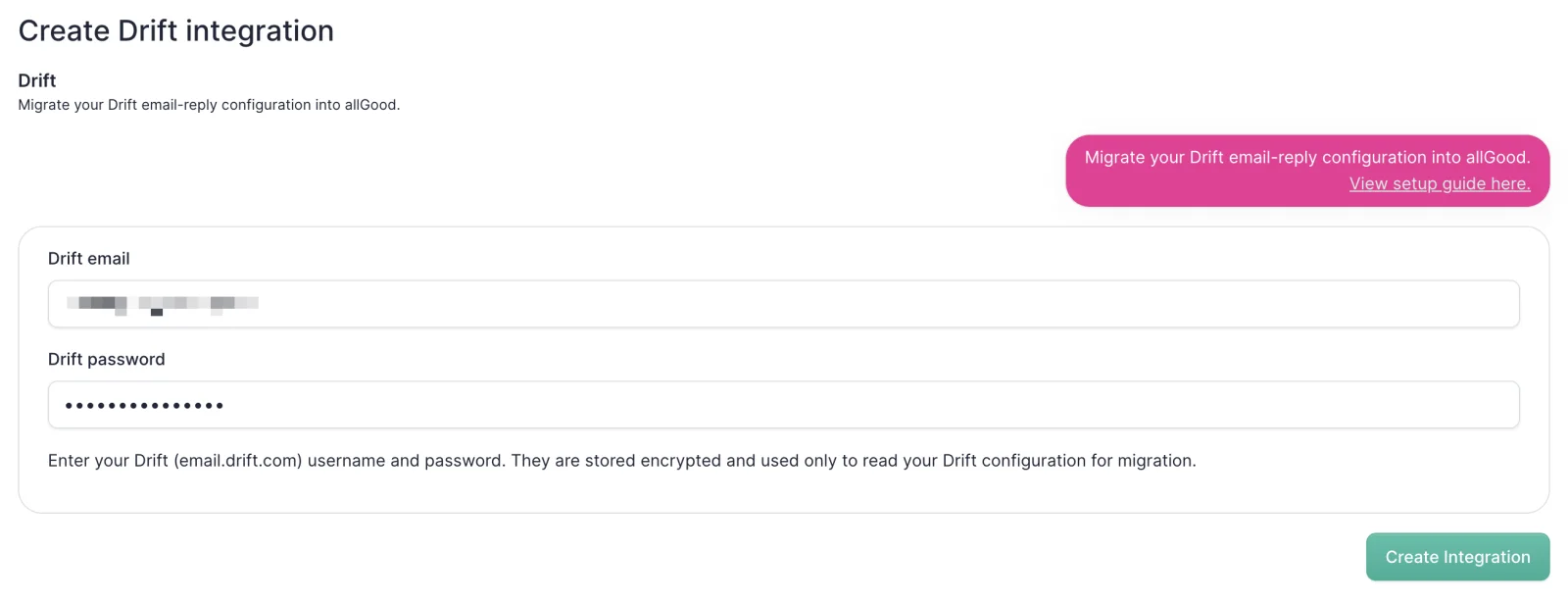
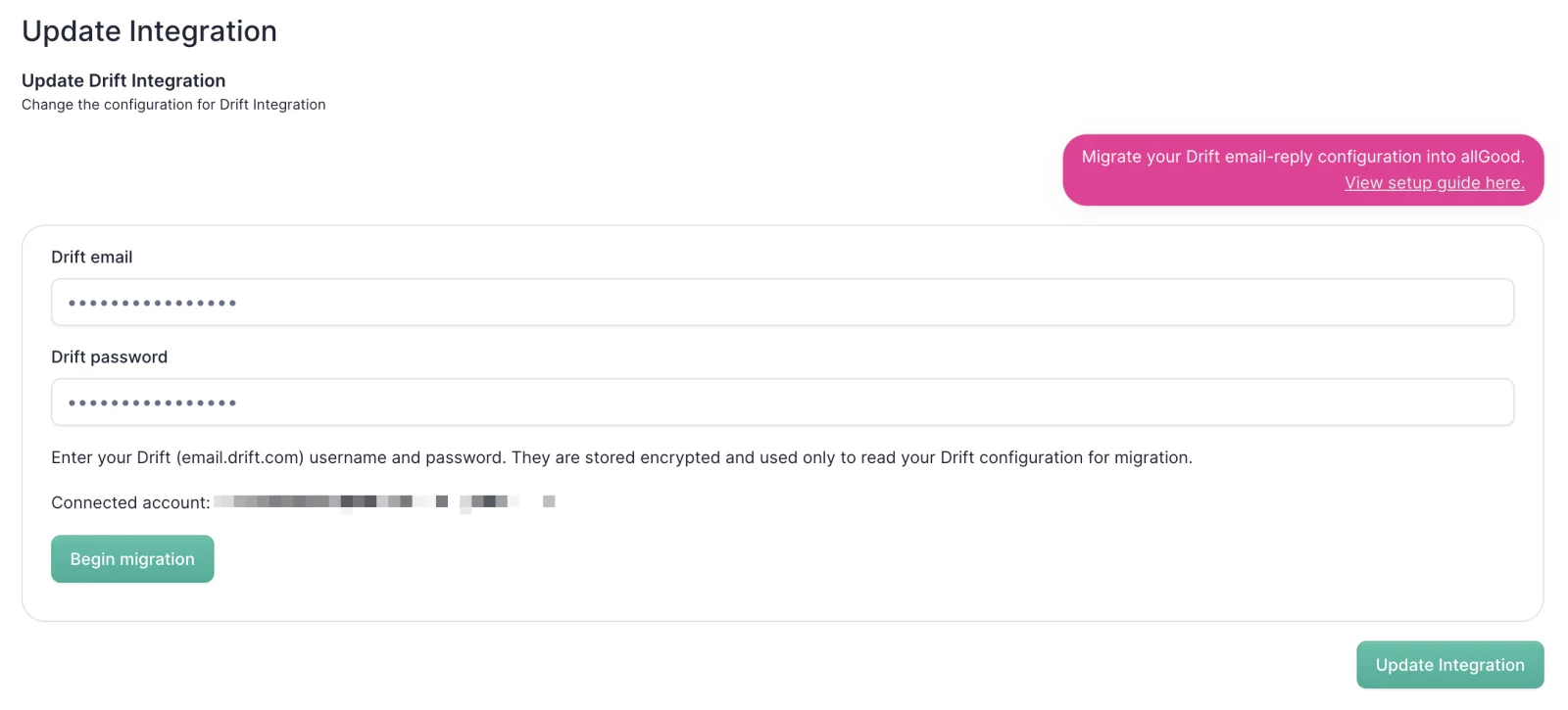
Begin the migration.
One click. allGood Email Reply Management reads your whole configuration.
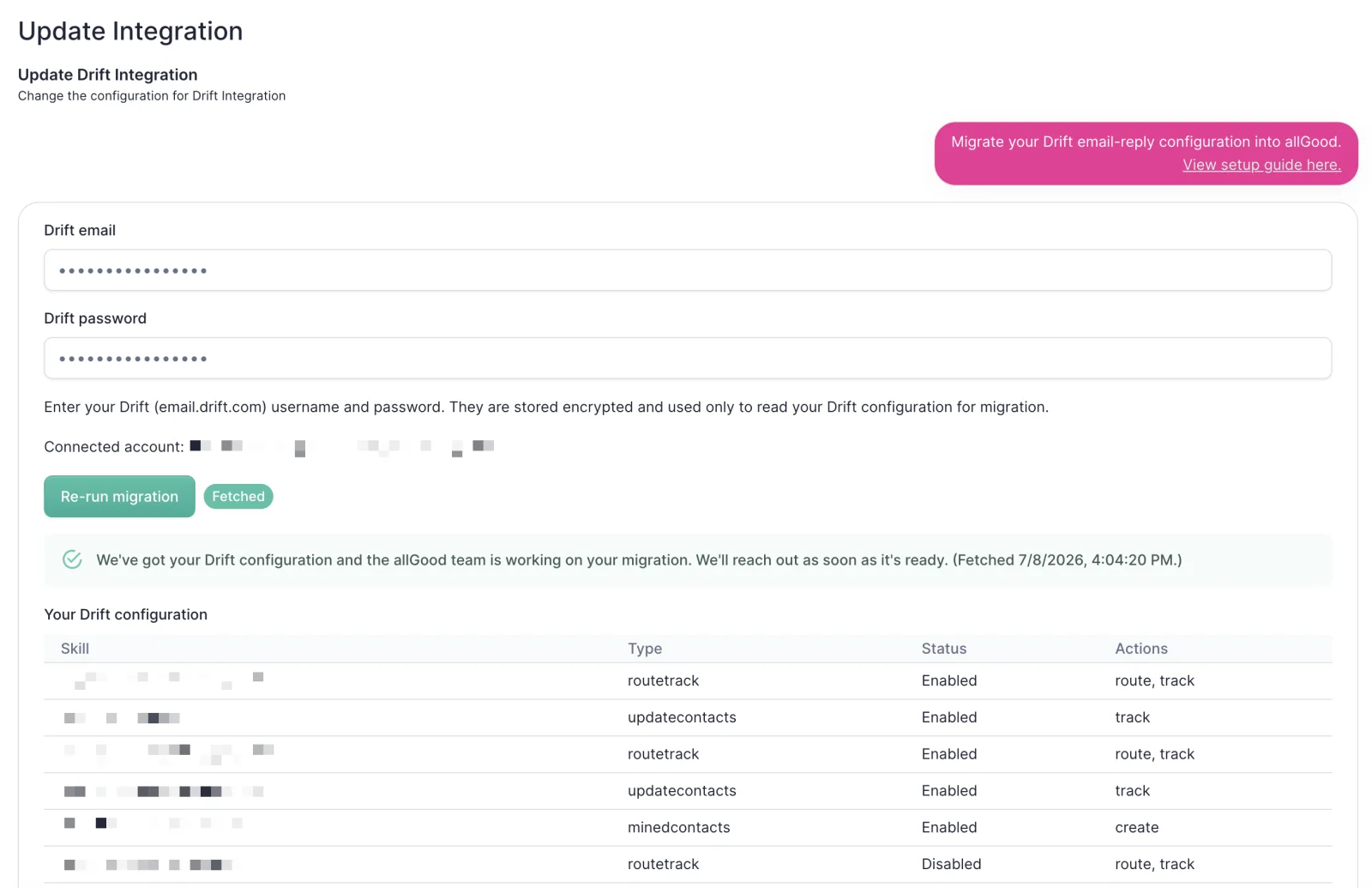
Review the summary.
Every skill laid out and accounted for, before anything is live.
Validate, then go live.
Test it against real replies. Then our team finishes the handoff.
Built for enterprise scale & security
allGood connects only to your sending inboxes, never personal mail, with scoped access. SOC 2 Type II, GDPR compliant, encrypted in transit and at rest, your data deleted within 60 days of leaving.
See allGood Email Reply Management in action
Read more
Is allGood the official Drift Email replacement?
Yes. Salesloft, which owns Drift, recommends allGood as the official replacement for Drift Email reply management. There is no bake-off to run.
What is replacing Drift Email?
allGood Email Reply Management. It does the jobs Drift Email did (sorting the campaign inbox, routing human replies to the right team, cleaning and enriching CRM and MAP records, and processing unsubscribes for compliance) using AI reasoning instead of keyword rules.
How do I migrate from Drift Email to allGood?
Enter your email.drift.com login in allGood Settings and create the integration, then begin the migration. allGood Email Reply Management reads your Drift configuration on its own and recreates it. You review a summary of every skill, validate it against real replies with the built-in test suite, and the allGood team completes the handoff. It takes minutes, not weeks.
Do I have to rebuild my Drift rules and skills?
No. The migration is a read, not a rebuild. allGood Email Reply Management reads your existing Drift configuration and recreates it as a reasoning system. You do not export rules, map fields, or re-enter anything.
What happens to my Drift skills, routes, and actions?
They come across with you. When the migration finishes, every skill is listed with its type, whether it is enabled, and the actions it takes, so you can confirm your setup is accounted for before anything goes live.
What reply categories does allGood Email Reply Management support out of the box?
Seven, with no setup required. Unsubscribe covers removal and opt-out requests, and automatically sets the contact's unsubscribe field in your MAP to true. Out of Office covers vacation responders and away messages, and extracts the return date. Sales Request covers interest, demo requests, and pricing questions, and forwards the email to your sales team's inbox with the subject line “Sales Request”. Left Company covers people who have changed jobs or are no longer at that address, and extracts the new email address when one is provided. Bounce covers delivery failures and mailbox-full errors. Spam covers unsolicited marketing, phishing, and irrelevant automated messages. Other is the catch-all fallback, so nothing gets lost. You can also define your own categories in plain English.
Move before Drift goes dark.
Keep what works, upgrade the rest, and switch in minutes.
Book a live demo