

It's official: Salesloft has named allGood the one and only recommended replacement for Drift Email.
If you run reply management on Drift, that sentence usually triggers a specific kind of dread. Migrations mean rebuilding: exporting rules, mapping fields, recreating every skill by hand, then testing it all again before you trust it with live pipeline. Weeks of work to end up roughly where you started.
That's the part that doesn't apply here.
Migration usually means rebuilding. This one doesn't.
Moving from Drift to allGood isn't a rebuild. It's a read.
You hand allGood the keys to your existing Drift instance, and allGood reads the whole configuration (every skill, every route, every action you've set up over the years) and recreates it on the other side, landing you on the same seven AI-based categories every allGood workspace ships with. You don't re-enter anything. You don't reconstruct a single rule. The setup you already trust comes with you.
Start to finish, it takes minutes.
What actually happens
The only thing allGood needs from you is your Drift login. In Settings → Integrations, find the Drift integration under Migration and enter the same username and password you use at email.drift.com.
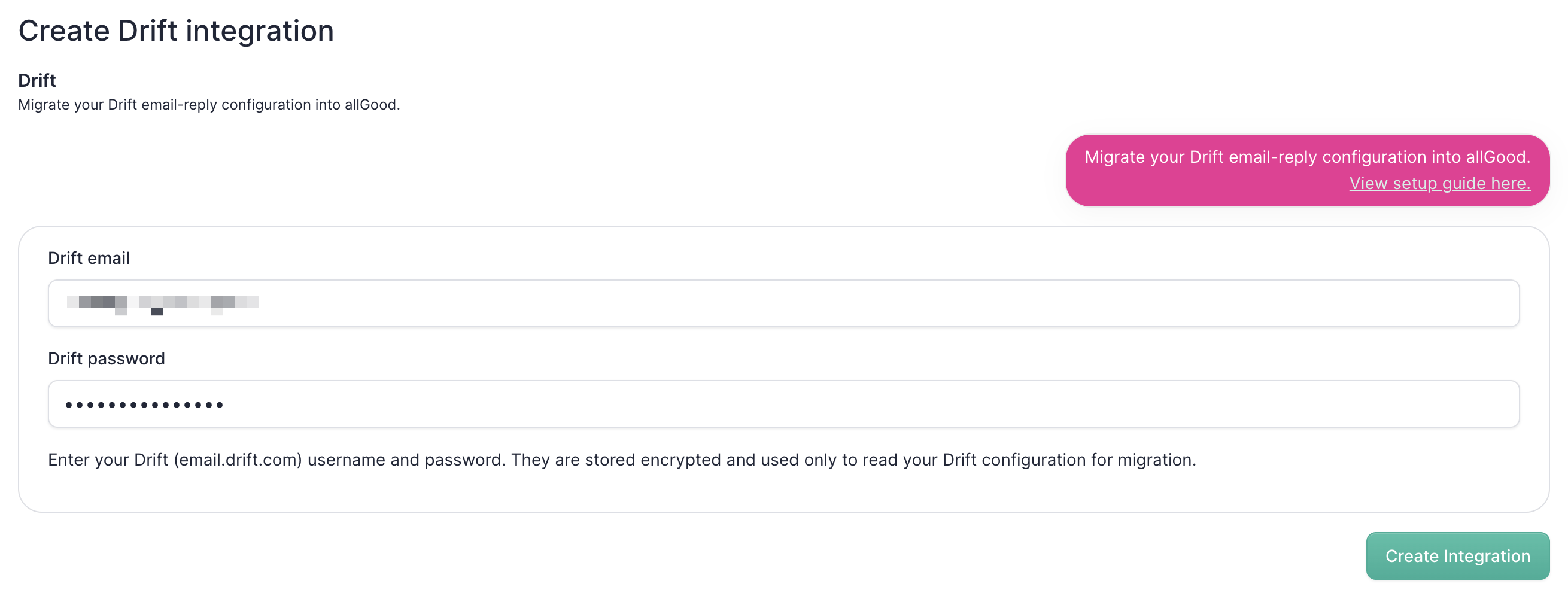
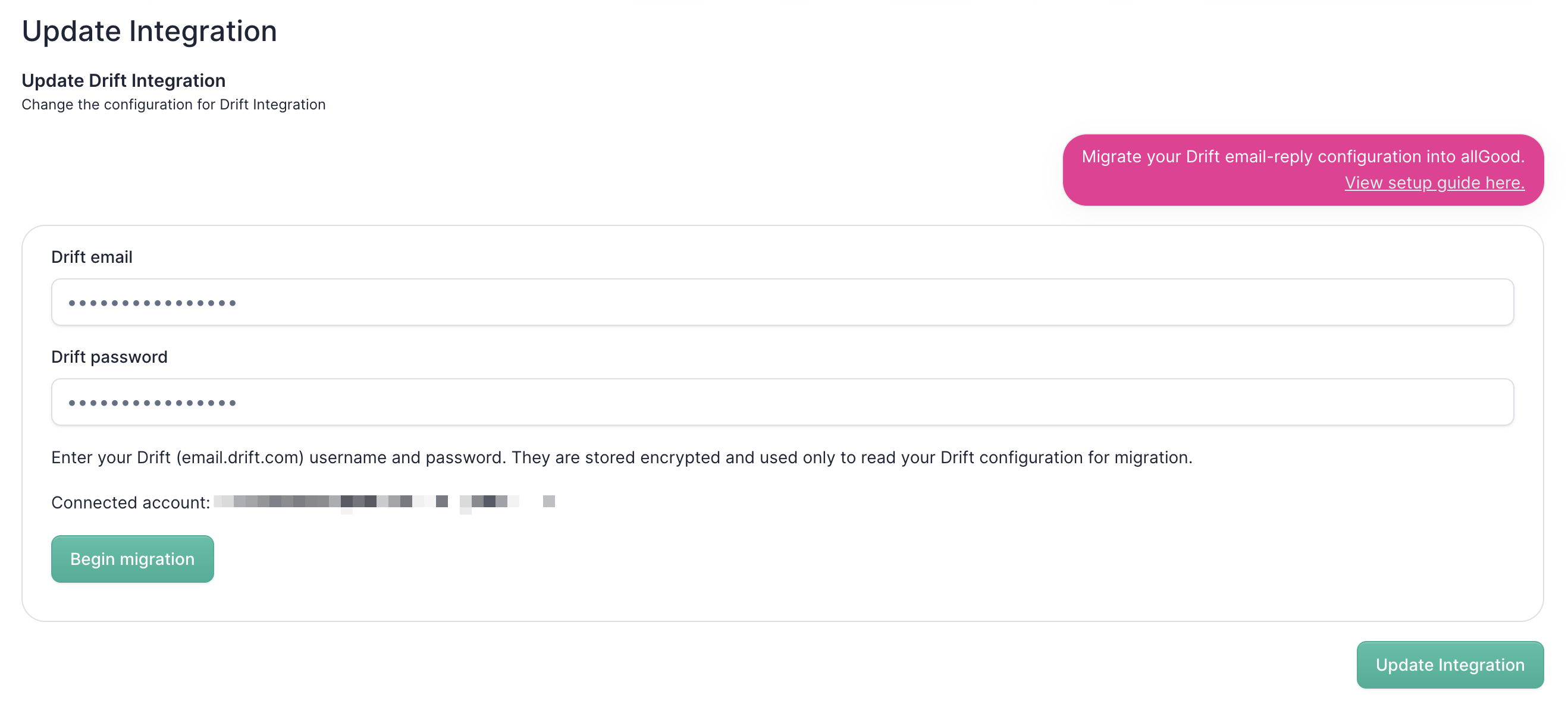
Click Create integration, then Begin migration. allGood connects to your account and starts pulling everything it needs.
When it finishes, you see a full summary of your Drift instance laid out in front of you: each skill, its type, whether it's enabled, and the actions it takes. It's your setup, recognized and accounted for, before anything goes live.
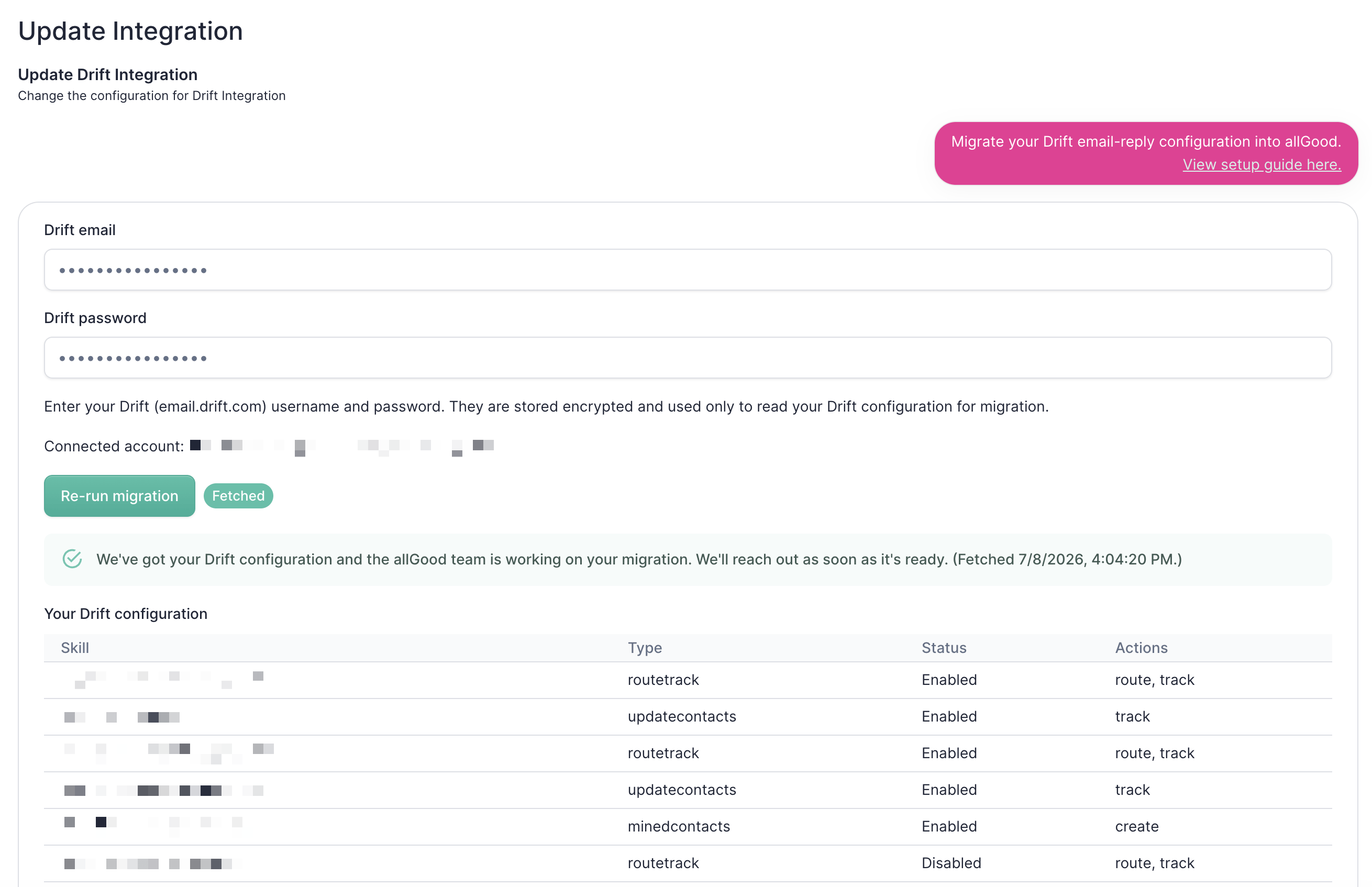
From there, let the allGood team know. We take it the rest of the way.
Rules in, reasoning out
Here's the part that makes the move worth more than the minutes it takes.
allGood doesn't copy your Drift rules over as rules. It recreates them as a reasoning-based system. Your years of accumulated keyword logic and branching paths become the starting point for something that reads intent the way a person would, instead of matching strings and hoping the phrasing lines up.
That difference is the whole reason to switch. Rules-based reply management breaks on the messy reality of email: the unsubscribe buried in a forwarded thread, the "remove me" that means one campaign and not all of them, the reply written in a language your keywords never covered. A reasoning system handles those cases because it understands the message, not just its words. We've written before about why Drift email rules leak pipeline and how reasoning beats rules on accuracy and compliance.
So you're not migrating sideways to a like-for-like replacement. You're carrying your configuration forward and upgrading what it can do at the same time.
From Drift to allGood in minutes
Sunsets force decisions. This one doesn't have to be hard.
Add your Drift login, create the integration, begin the migration, and your setup comes across intact - recreated as a system that reasons instead of one that matches. No rebuild, no rewrite, no lost configuration.
That's it. You can go from Drift to allGood before your coffee's cold.