

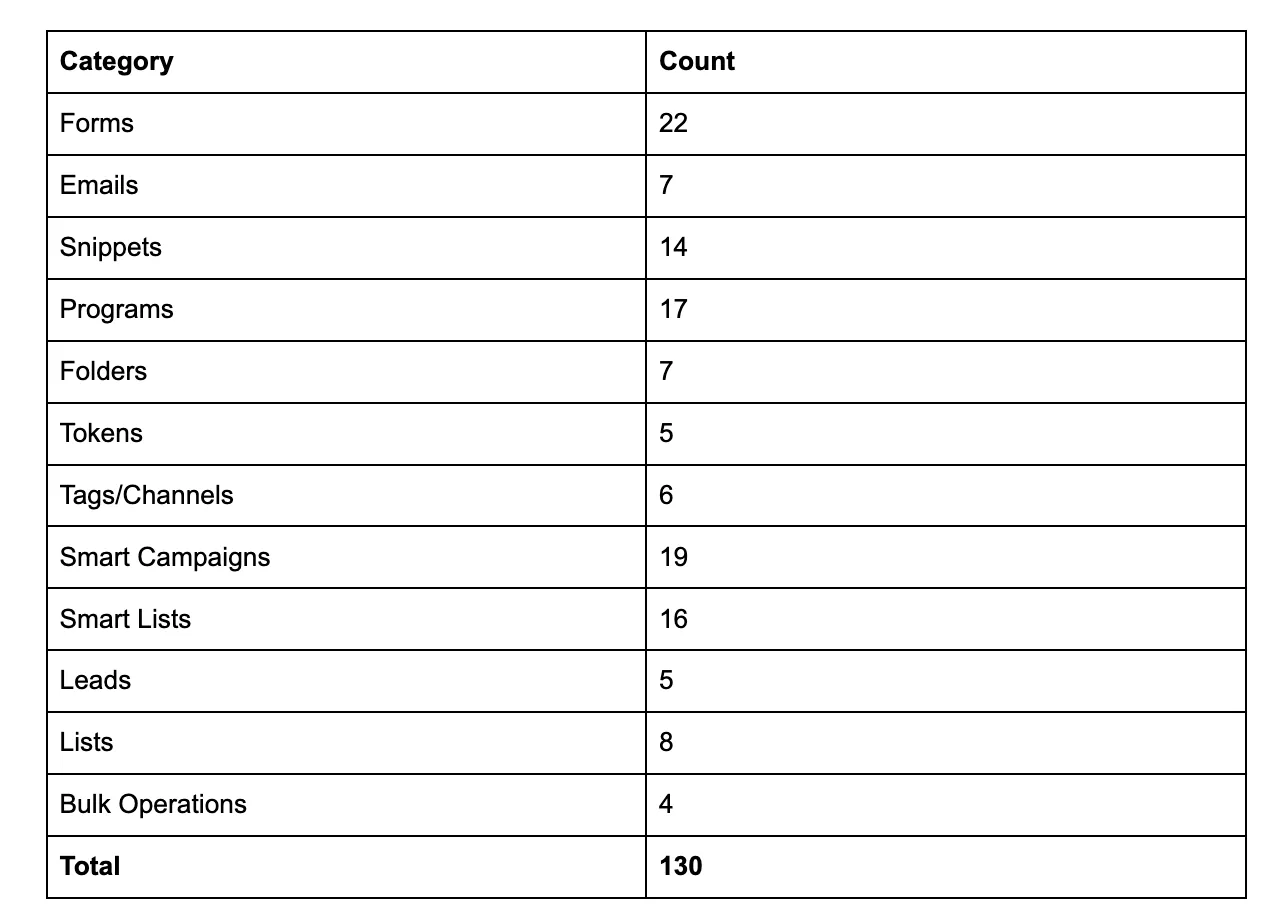
Adobe just dropped the alpha release of the Marketo MCP server, and we're excited to be part of it. We are talking about over 130 tools covering everything from forms and programs to smart campaigns and bulk operations, all accessible directly from your AI tool of choice.
The Model Context Protocol (MCP) acts as a bridge, letting your AI talk to your Marketo instance and execute REST API calls on your behalf using your credentials. The best part? There is no server-side software to install and nothing to host.
But here's the thing: the setup has a few "gotchas" that can trip you up. We've been through it, and we want to save you the headache.
Step 1: Get Your REST API Endpoint
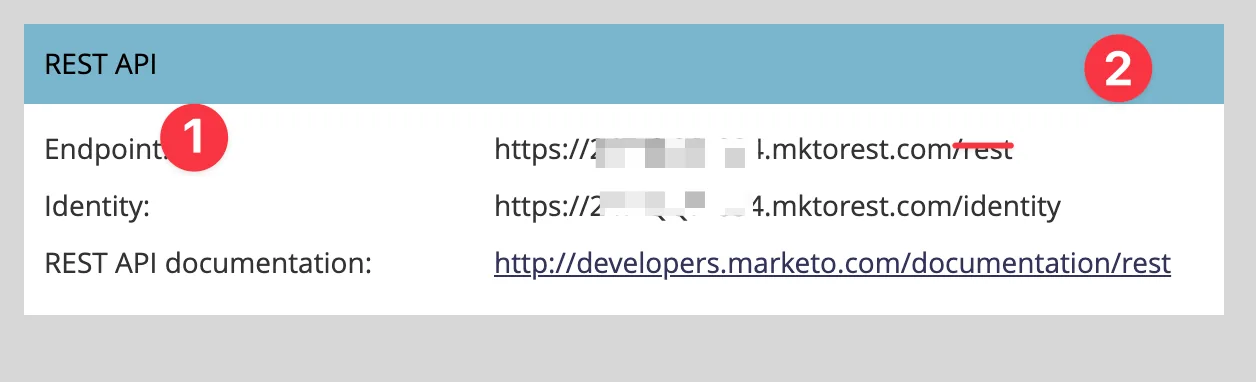
First, head over to your Marketo instance and navigate to Admin > Web Services. Under the REST API section, you'll find your Endpoint URL.
⚠️ The /rest Gotcha
This is where most people stumble. Your URL will look like this:
https://XXX-XXX-XXX.mktorest.com/rest
Do NOT include the /rest part. The MCP server appends that automatically. If you include it, your calls will fail. Your config value should stop at the .com.
Step 2: Quick Way to Find the Config File
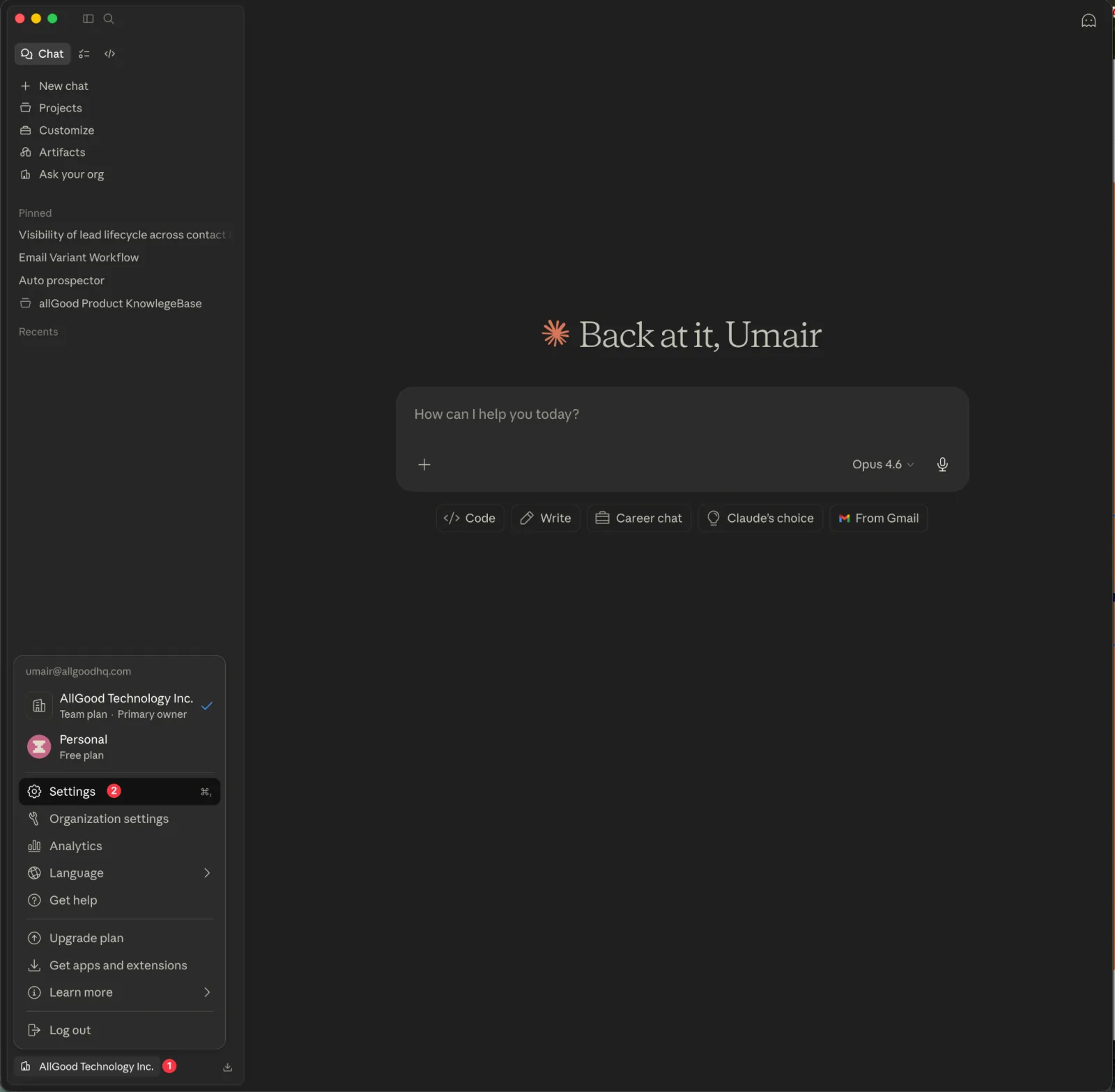
Don't waste time digging through Finder or File Explorer. In the Claude Desktop app, click your name in the bottom-left corner and go to Settings.
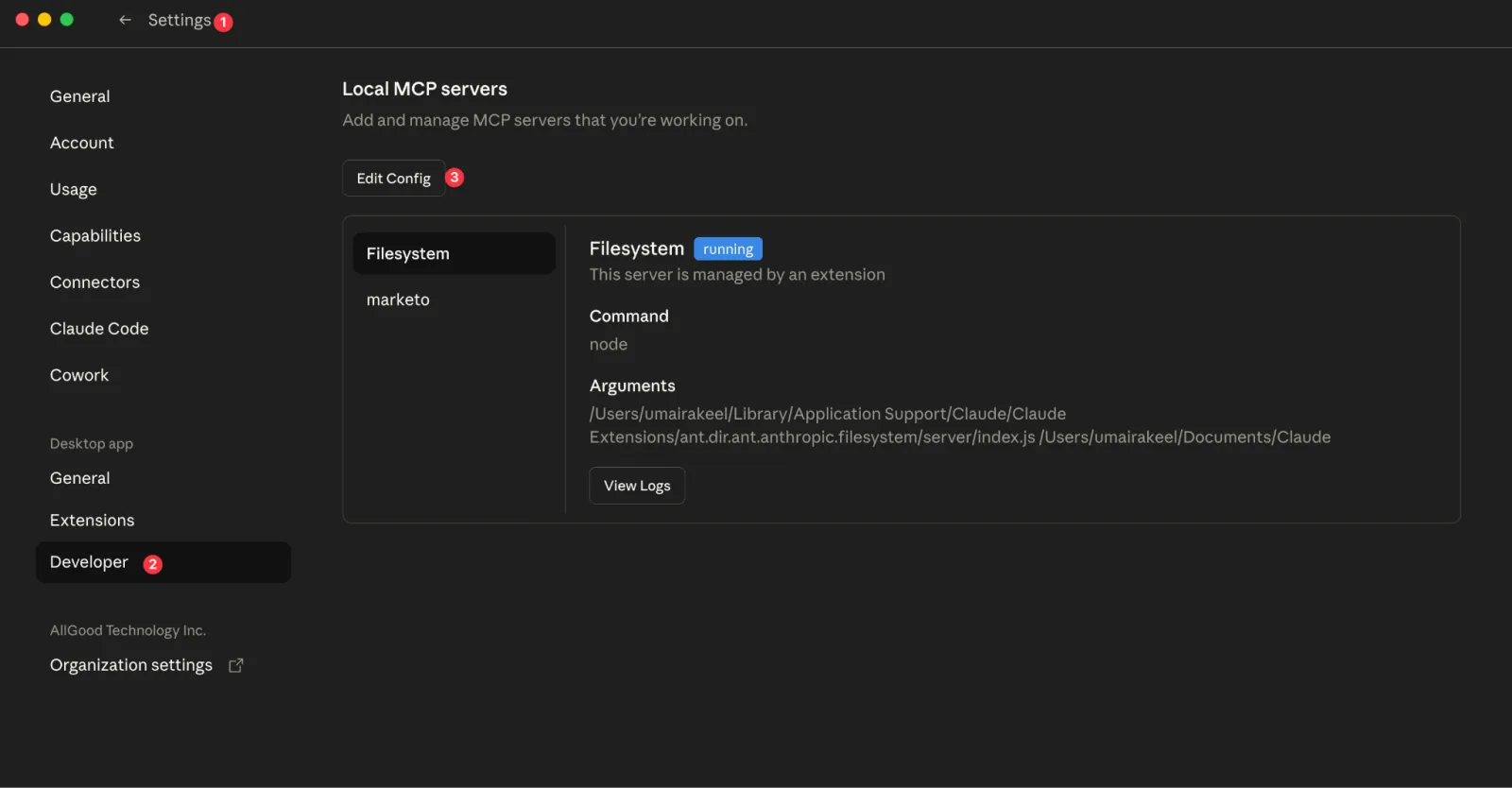
Select the Developer tab in the sidebar.
You'll see "Local MCP servers" with an Edit Config button.
Click it, this opens the folder containing your claude_desktop_config.json directly.
Step 3: The "Team/Enterprise" Config Fix
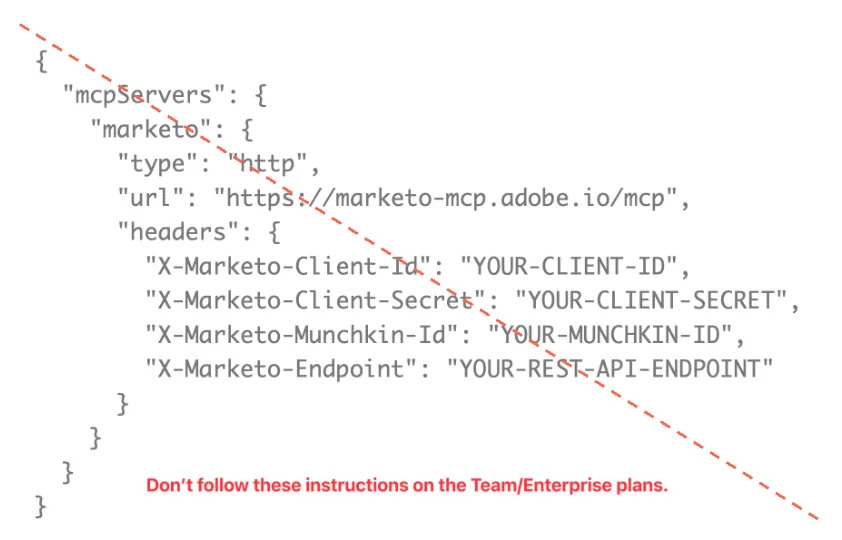
If you are on a Claude Team or Enterprise plan, the standard "type": "http" configuration found in many docs won't work.
Before you start, you'll need Node.js installed (which gives you npx). On macOS, the easiest path is to install Homebrew first, then run brew install node. On Windows, download the installer directly from nodejs.org.
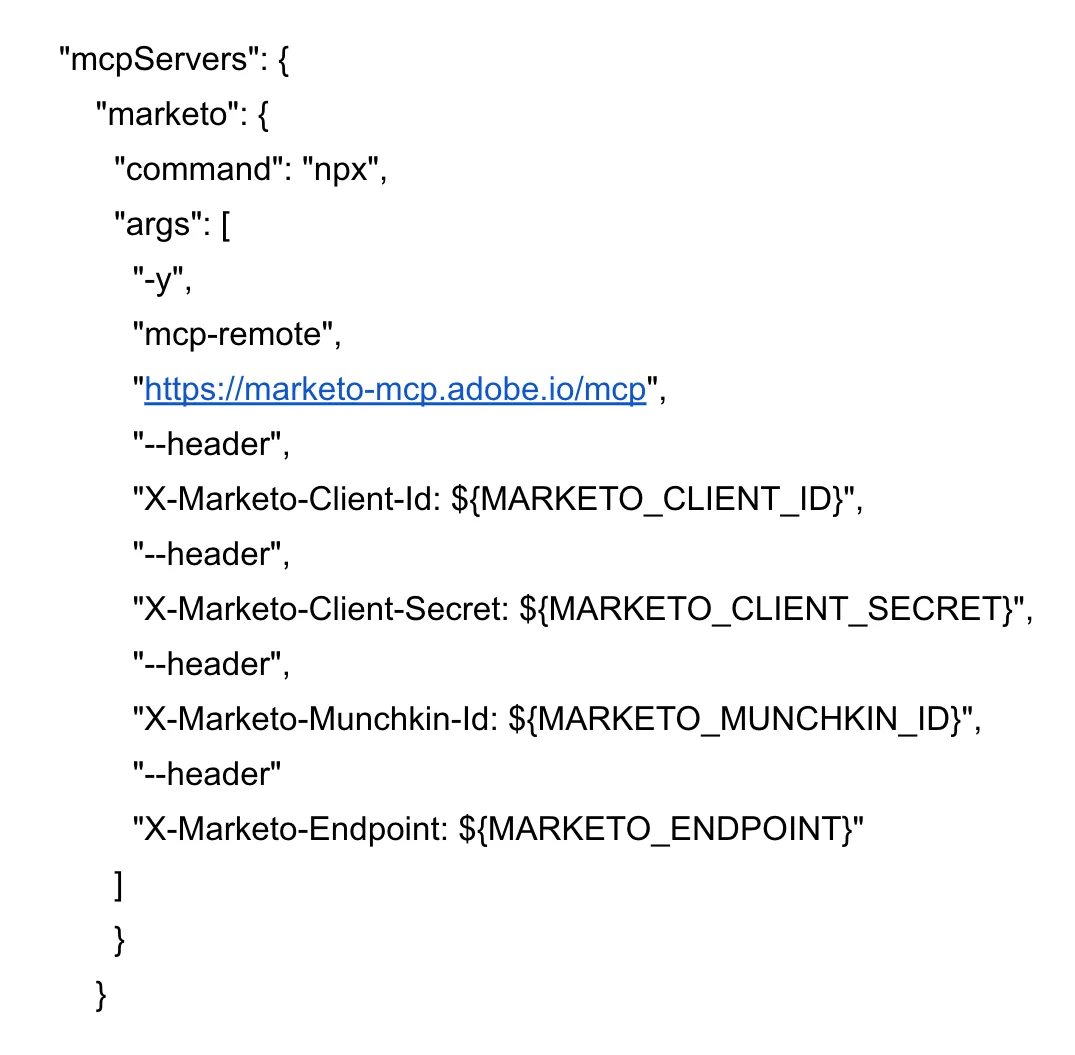
The fix is to use npx mcp-remote as a bridge. It wraps the remote server in a local process that Claude can talk to. Use this exact structure in your config:
{
  "mcpServers": {
    "marketo": {
      "command": "npx",
      "args": [
        "-y",
        "mcp-remote",
        "https://marketo-mcp.adobe.io/mcp",
        "--header",
        "X-Marketo-Client-Id: YOUR_CLIENT_ID",
        "--header",
        "X-Marketo-Client-Secret: YOUR_CLIENT_SECRET",
        "--header",
        "X-Marketo-Munchkin-Id: YOUR_MUNCHKIN_ID",
        "--header",
        "X-Marketo-Endpoint: YOUR_REST_API_ENDPOINT"
      ]
    }
  }
}
Step 4: Avoid the JSON Pitfalls
JSON is unforgiving. One missing comma or unclosed brace can cause Claude to wipe your entire config file.

Defensive habits to save your sanity:
- Back up your file before editing. Copy
claude_desktop_config.jsontoclaude_desktop_config.json.bakbefore you touch it. - Use a JSON-aware editor like VS Code or Sublime Text, they highlight errors in real time.
- Watch for trailing commas. The last item in a list should never have a comma after it.
- Check your braces. Every
{needs a}and every[needs a].
What You Can Do Once Connected
Once the MCP is live, you have an incredible amount of surface area to work with roughly 130 tools:
Try asking things like:
- Forms: "Show me all approved forms" or "Add a Company field to the Demo Request form".
- Programs: "Clone the Q4 Webinar program into the 2026 Events folder".
- Smart Campaigns: "What smart campaigns are active right now?".
- Leads: "Find the lead with email jane@example.com".
Pro Tip: Write Clear Prompts
With 130 tools available, being vague forces the AI to guess. Be specific about the order of operations:
"Use
get_form_by_nameto find the Demo Request form, then useget_form_fieldsto show me its fields."
Specific prompts make the AI faster, more reliable, and cheaper on tokens.
What We're Building on Top of This
At allGood, we're already building Claude skills specifically for Marketo teams, like an Email Performance Analyzer and a Campaign Briefing Builder.
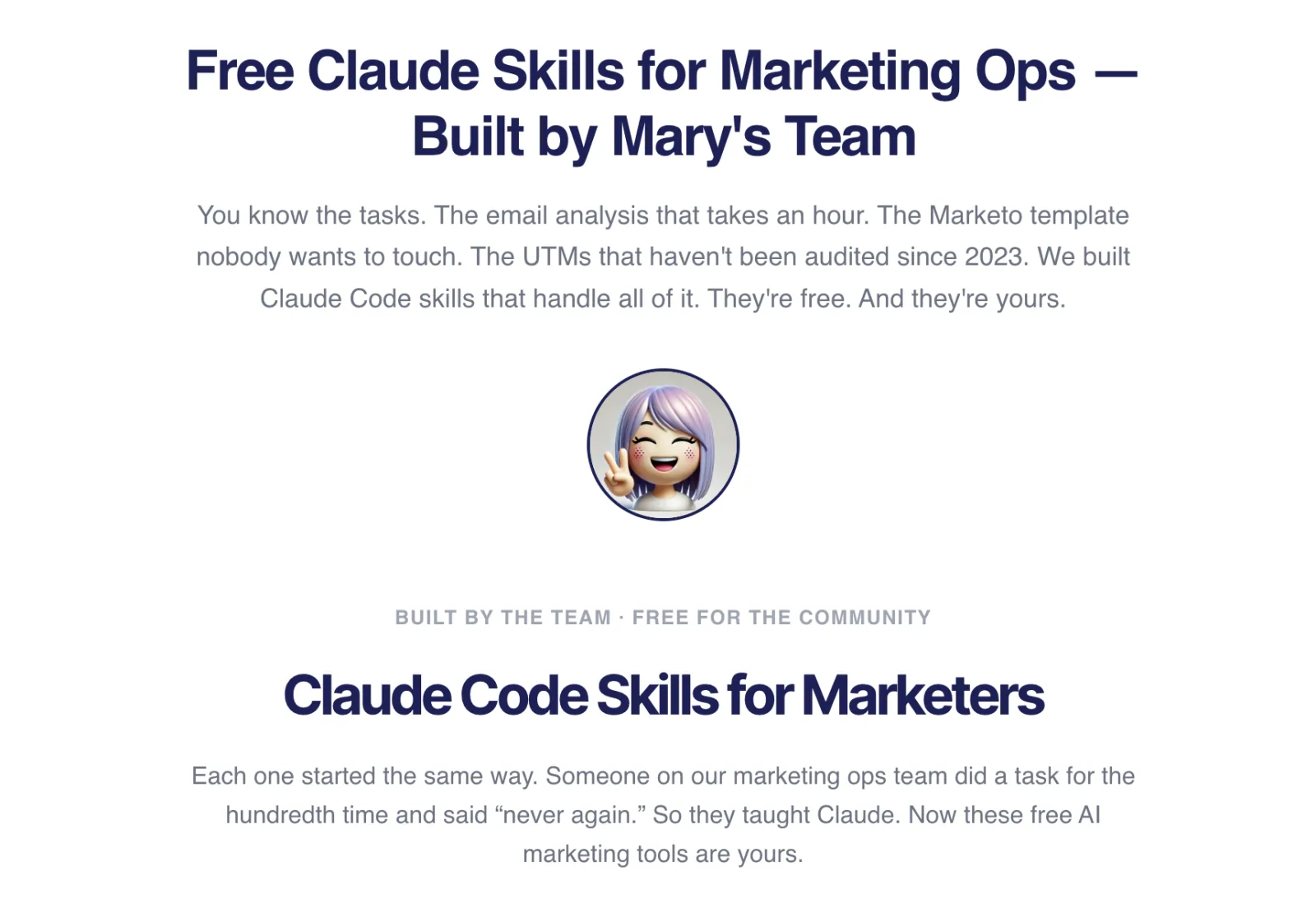 Free Claude skills for Marketing Ops: built by allGood's team, free for the community.
The Marketo MCP opens up endless possibilities. If you have a workflow you want to automate or a skill idea you want to explore, reach out! We're in this with you.